

60+ Reliance Jio USSD Codes List (2026): Check Balance, Data, Validity, 5G & More
Last Updated on 5 months ago by Sai
Table of Contents
Last Updated: May 2026
Fact-checked against the latest available Jio support information and user-reported working methods.
Reliance Jio has become India’s one of the largest telecom providers in 2026 as it offers budget-friendly prepaid plans, unlimited 5G access, JioFiber services, and nationwide coverage. Most of the users are showing their interest using the MyJio app to manage accounts, some users still depending on USSD codes, SMS commands, missed-call services, and WhatsApp support to quickly access their account information.
I have updated this guide with the fresh and latest information so that you’ll find the latest working Reliance Jio USSD codes and other alternative methods to check your balance, data usage, plan validity, mobile number, recharge details, and customer care information.
Important: Some older and outdated Jio USSD codes available on the internet may no longer work. I want to remind you that Jio now prioritizing the app-based and SMS-based account management services.
Table of Contents
Why Jio USSD Codes Still Matter in the 5G Era
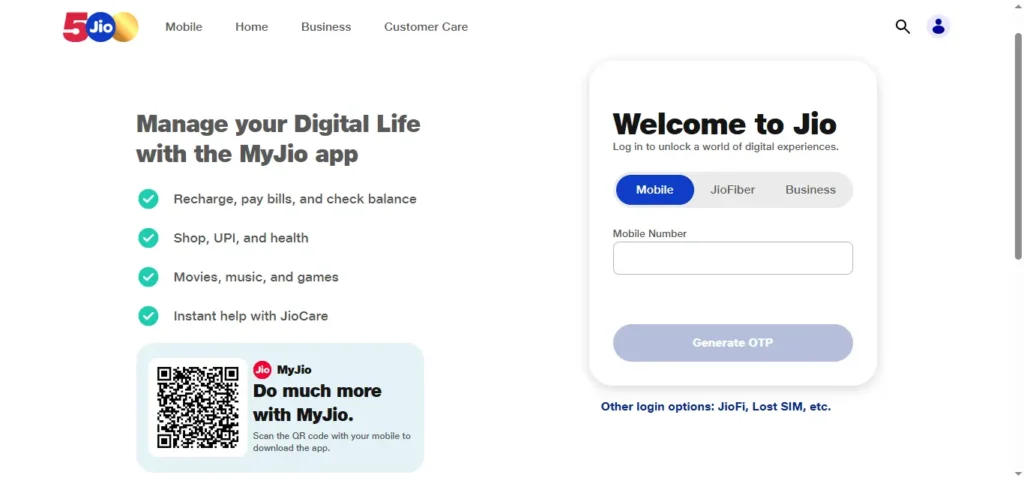
Though the rise of 5G and the high usage of advanced mobile apps took place, Jio USSD codes and SMS services remain useful for
Even with the rise of 5G and advanced mobile apps, Jio USSD codes and SMS services are still being used by many users. They remain as useful because of the following reasons below:
- Quick and easy to use
- Can be accessed without having internet facility
- Helpful for feature phone and low-end device users
- Hassle-free usage and can be reliable during app or network issues
- Can be used to check balance at the moment and validity
Still, many users show interest on using missed-call services and SMS commands because they feel it’s easy, simple, and work faster than opening apps or navigating customer support menus.
Complete Jio USSD Codes List (2026) – Quick Reference Table
Below are some of the Jio USSD Codes list provided so that users can them whenever in they need the information or details such as balance, validity, data, number, and others.
| Purpose | Code / Method |
|---|---|
| Check Jio mobile number | *1# |
| Check prepaid balance & validity | *333# |
| Check balance via SMS | Send BAL to 199 |
| Check data balance | Send MBAL to 55333 |
| Check active plan details | Send MYPLAN to 199 |
| Balance & validity via missed call | 1299 |
| General customer care | 199 |
| Complaint helpline | 198 |
| Tele-verification | 1977 |
| WhatsApp support | 70007 70007 |
| International roaming support | +91 70188 99999 |
| JioFiber customer care | 1800-896-9999 |
Note: Availability of some services may vary depending on region, device, or prepaid/postpaid status.
How to Check Jio Balance – All Working Methods
Here below, I have provided 6 methods for Jio users to check account balance and plan validity.
1. Using USSD Code
In this method, Jio users can dial the below provided number to get the balance, and plan validity details.
Dial:
*333#If you are a Jio customer, then you can dial the above provided number. After dialing the number, the prepaid balance and plan validity of your Jio SIM will appear on the phone’s screen.
This method remains as one of the fastest balance-check methods in 2026.
2. Using SMS
In this method, Jio users have to send an SMS with the below mentioned text from their mobile. The users will receive active plan details, remaining validity, and account balance.
Send:
BALto:
1993. Using Missed Call Service
In this method, users have to give a missed call to the below mentioned number. Jio won’t charge anything for this service as it automatically disconnects the call and sends account details via SMS.
1299The SMS usually provide you the details such as plan validity, remaining data, daily usage, and recharge details.
4. Using WhatsApp Support
In this method, users have to send a “Hi” message from their WhatsApp account linked with their Jio number. You can save this official JioCare WhatsApp number on your mobile for the future usage.
70007 70007After sending “Hi” message to the above provided number. The chatbot can help you to check balance, view active plans, recharge your number, and access customer support.
5. Using IVR Support
In this method, users have to call the below provided number from phones having Jio SIM or connection.
Call:
1991After calling the above provided number, you have to follow the automated voice instructions. You’ll hear the details of current balance, data usage, and plan validity.
6. Using the MyJio App
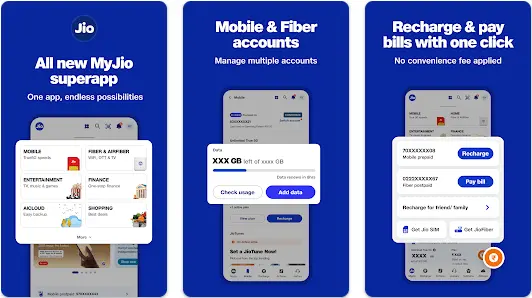
Jio has provided the MyJio app as the primary account management platform for it’s users.
In this method, you have to login to the app by authenticating your JIO phone number. When you login to the app, the home screen shows the information including active recharge plan, remaining validity, daily data usage, 5G eligibility, and linked Jio services.
Also Read: Airtel Balance Check, USSD Codes, Validity, Remaining Data, Tariff Plan, Customer Care Number
How to Check Jio Data Balance (4G & 5G)
It’s an important thing to check the remaining daily data or internet quota. So that, you can decide whether to exhaust the remaining daily data or save for any other important works on that day.
It is important for prepaid users with limited data plans.
SMS Method
Users can send the below mentioned text to the below provided number to receive an SMS having the remaining daily data, total data left, and plan expiry date.
Send:
MBALto:
55333Missed Call Method
In this method, users can give a missed call to the below provided number.
1299After giving a missed call, you’ll receive your latest usage information by SMS.
MyJio App Method
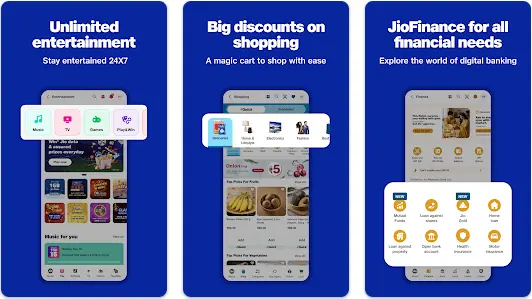
In this method, users have to install MyJio app on the smartphones. Login and authenticate with Jio number.
The MyJio app provides detailed usage analytics including daily data consumption, high-speed data remaining, 5G usage, and data history.
For Unlimited 5G Users
Users on eligible for Jio True 5G plans may see – unlimited 56 active status, no daily data cap indication.
Also, remember that, fair usage policies may still apply depending on network conditions and plan type.
How to Check Jio Number, Validity & Plan Details
Check Your Jio Mobile Number
Users can check mobile number by dailing the below provided code.
Dial:
*1#After dialing the code, your Jio number will appear on the screen.
You can dial the code when you insert a new SIM, forgot your number, and use multiple SIM cards.
Check Active Plan Details
Users can send the below mentioned text to the number provided below. After sending the message, users will receive the current recharge plan, expiry date, data benefits, voice and sms validity.
Send:
MYPLANto:
199Check Plan Validity
You can check validity using:
*333#- Missed call to
1299 - MyJio app dashboard
Jio Customer Care Numbers (Updated 2026)
Here below provided are the latest Reliance Jio customer support numbers.
| Service | Number |
|---|---|
| General customer care | 199 |
| Complaint helpline | 198 |
| Tele-verification | 1977 |
| JioFiber support | 1800-896-9999 |
| International roaming support | +91 70188 99999 |
| WhatsApp support | 70007 70007 |
When Should You Contact Jio Support?
Many users face issues related to network, balance, roaming, data, and connectivity. If you face any of the issues mentioned below, then you can contact customer care to fix the issue.
- SIM activation problems
- Recharge failures
- Network or 5G issues
- Data deduction complaints
- International roaming issues
- JioFiber connectivity problems
Jio Recharge Plans 2026
Reliance Jio offers a wide range of prepaid and postpaid recharge options in 2026. Below provided are some of the popular recharge plans.
Daily Data Plans
Popular prepaid plans include:
- 1GB/day plans
- 1.5GB/day plans
- 2GB/day and higher
Most plans include:
- Unlimited voice calls
- Daily SMS benefits
- Access to Jio apps
Unlimited 5G Plans
Eligible recharge plans now include:
- Jio True 5G access
- Unlimited 5G usage in supported areas
- High-speed connectivity
Some premium plans also offer OTT subscriptions.
Long-Term Plans
Jio also offers:
- 84-day plans
- 365-day annual plans
- Data add-on vouchers
- International roaming packs
For the latest pricing and regional offers, users should check:
- MyJio app
- Official Jio website
- JioCare WhatsApp support
Also Read: How to check mobile number from SIM (Airtel, Reliance Jio, Vi)
Using the MyJio App: Step-by-Step Guide (2026)
Users can use the MyJio app as it is the easiest way to manage all Jio services.
Step 1: Download the App
Install MyJio app from:
- Google Play Store
- Apple App Store
Step 2: Login with Your Jio Number
Enter your mobile number and verify using OTP.
Step 3: Access the Dashboard
The dashboard shows:
- Active plan
- Remaining data
- Recharge validity
- 5G status
- Linked devices
Step 4: Manage Your Account
Using the app, you can:
- Recharge instantly
- Buy add-on packs
- Manage JioFiber
- Raise support requests
- Enable international roaming
Step 5: Use JioCare Chat Support
The built-in support assistant can help solve:
- Network issues
- SIM activation errors
- Recharge problems
- Plan-related questions
Jio USSD Codes Not Working? Here’s How to Fix It
In some cases, users may notice that certain Jio USSD codes do not work properly. Here below I have provided some common fixes to those issues.
1. Restart Your Device
Temporary network issues are often resolved after restarting the phone.
2. Enable VoLTE
Ensure:
- VoLTE is enabled
- Jio SIM is active
- Mobile network signal is available
3. Use SMS Alternatives
If USSD fails, you can send the below mentioned SMS:
BALto199MBALto55333
These methods are generally more reliable.
4. Update the MyJio App
It is an important thing to do. Users should update the older versions of the app as it may not sync properly with Jio services.
5. Reset Network Connection
Sometimes, resetting the network connection may resolve the issue. For this, you have to turn the Airplane Mode on for 15-20 seconds and then disable it.
6. Contact Customer Support
Call:
199198
or use WhatsApp support for assistance.
FAQs – Jio USSD Codes
What is the Jio balance check code?
Dial:
*333#to check your balance and validity.
How can I check my Jio mobile number?
Dial:
*1#to see your registered Jio number.
How do I check Jio data balance?
Send:
MBALto:
55333What is the Jio missed-call balance check number?
Give a missed call to:
1299Does Jio still support USSD codes in 2026?
Yes, but Jio now mainly focuses on:
- MyJio app
- SMS services
- WhatsApp support
Some older USSD codes may no longer work.
How can I contact Jio customer care?
Call:
199for general support198for complaints
Final Thoughts
In these times, Jio prioritizing the app-based account management and digital support tools, USSD codes and SMS commands still provide a fast and hassle-free way to check balance, data usage, validity, and account details in 2026.
For the best experience, I recommend to follow these provided below:
- Use MyJio for complete account management
- Use SMS and missed-call services for quick checks
- Keep your app updated for the latest 5G and recharge features
Bookmark this guide to quickly access the latest working Reliance Jio USSD codes anytime.




Hi there, after reading this remarkable paragraph I am too glad to share my knowledge here with mates.